
If your family has both iPhones and Android phones, you have probably noticed that Apple's Find My can't show an Android phone, and an Android phone can't open a Find My share. You can still share location between iPhone and Android, and keep it on for good. You need an app that runs on both. This guide covers the three ways that work, how to set each one up so it keeps running in the background, and what to check when someone's location stops updating.
Why Find My doesn't work with Android
Apple's location sharing lives inside Find My and Messages, and it only works between Apple devices. Apple's own support page says that to share Live Location, both you and the person you're sharing with need an iPhone with iOS 15 or later. Between two iPhones you can share for an hour, until the end of the day, or indefinitely. The moment one person in the family carries an Android phone, that option is gone.
Android has no Find My app to receive the share either. So a mixed family needs something that installs on both kinds of phone and keeps running once everyone has set it up.
Three ways to share location between iPhone and Android
Each of these works on both platforms. They differ in how long sharing lasts and in how much they do beyond the dot on a map.
| Method | How long it shares | Cost | Best for |
|---|---|---|---|
| Google Maps location sharing | Until you turn it off | Free | Two or three adults who already use Google accounts |
| WhatsApp live location | A set time, then it stops | Free | A trip, a late walk home, finding each other at an event |
| A family locator app, such as Orbit | Always on | Orbit's map is free for you and your first child | A whole family, with places, plans and chat in one app |
1. Google Maps location sharing
Google Maps can share your real-time location with another person until you switch it off, and it works the same way on iPhone and Android. On an iPhone, Google's help page gives these steps:
- Open Google Maps and make sure you're signed in to your Google account.
- Tap your profile picture, then Location sharing, then New share.
- Choose how long to share. For permanent sharing, pick Until you turn this off.
- Pick the person you want to share with.
The person on the other end needs a Gmail account to see your location in their own Google Maps. If they don't have one, you can send a link instead, but a link only shares for up to 24 hours. People you share with can also see your phone's battery level and whether it's charging.
The catch for families is that sharing goes one way. If you share with your partner, they don't automatically share with you, and every person has to set up a share with every other person. With four people in a family that's twelve separate shares to keep track of.
2. WhatsApp live location
If everyone already uses WhatsApp, live location is the quickest option for a short stretch. Open a chat, tap the attach button, then Location, then Share live location, choose how long, and send. WhatsApp's help center notes that sharing stops on its own when the time you picked runs out, and you can stop it earlier.
That timer is the reason WhatsApp isn't a permanent answer. It's built for "I'm on my way" moments, not for knowing where everyone is on an ordinary Tuesday.
3. A family locator app
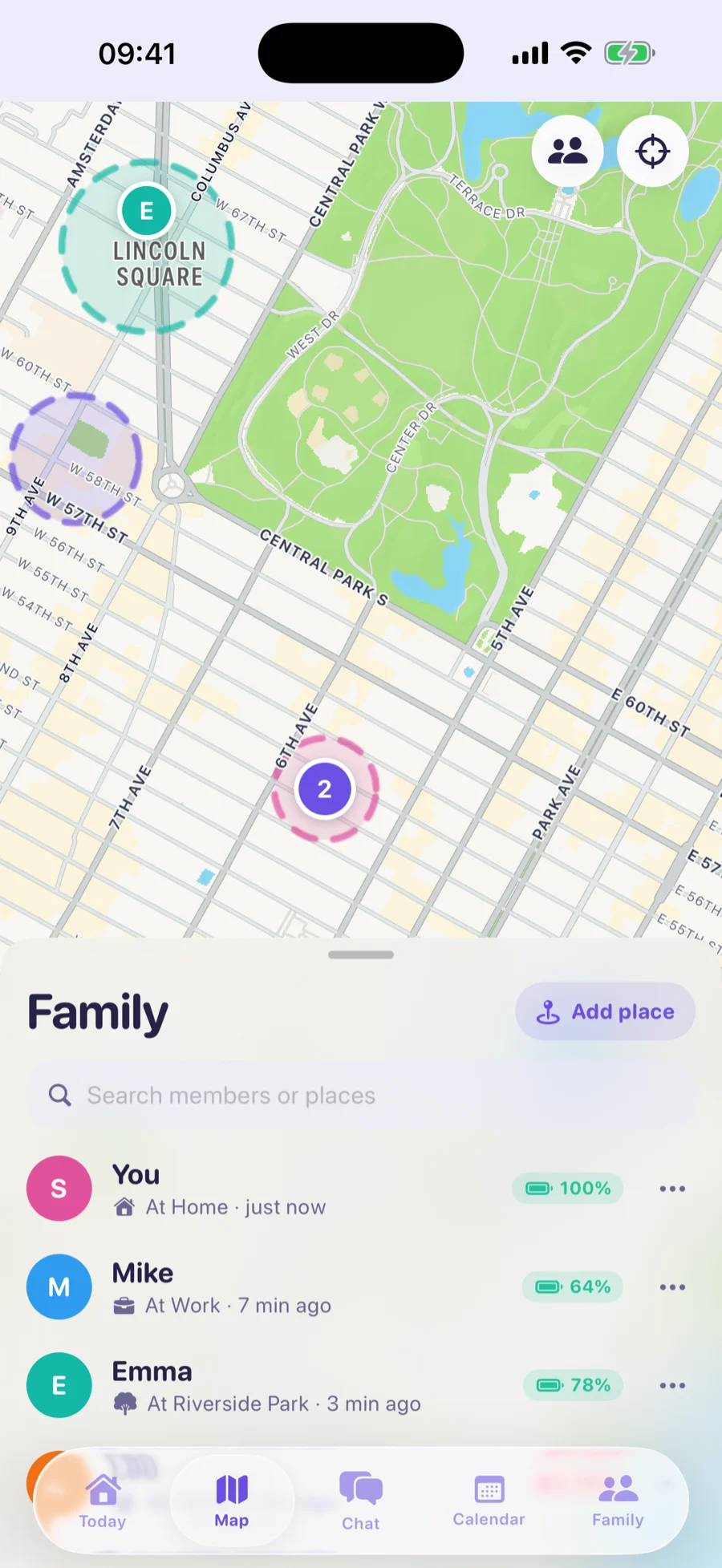
A family locator app is made for exactly this: everyone installs the same app, joins one family, and appears on one shared map, whichever phone they carry. Sharing stays on without anyone renewing it.
Orbit is one of these apps. It runs on iPhone (iOS 16 or later) and Android (8.0 or later). To set it up:
- Install Orbit on every phone in the family.
- On your phone, create your family. You become its organizer.
- Send each person an invite from the app. Invites work once and expire, so send a fresh one if it sits unused.
- When each person joins, they allow location access: Always on an iPhone, Allow all the time on Android. That's what keeps their location updating when the app is closed.
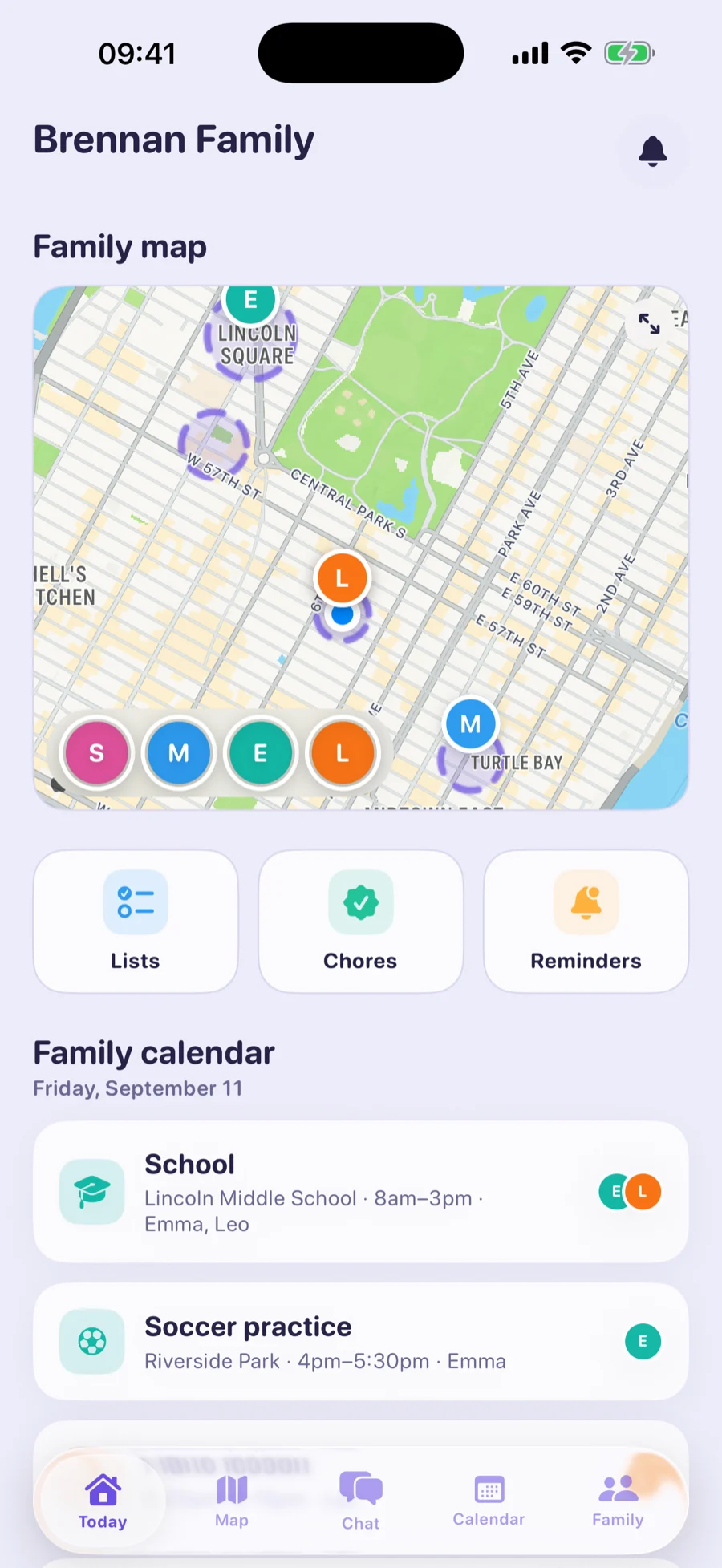
Once everyone has joined, the whole family is on one map, with each person's battery level next to their name. Nobody is hidden: children see the same information about their parents that parents see about them.
The live map, family chat and SOS are free forever for you and your first child. Orbit Plus adds the rest of the household, plus saved places with arrival alerts, a shared calendar and chores.