
The live family map
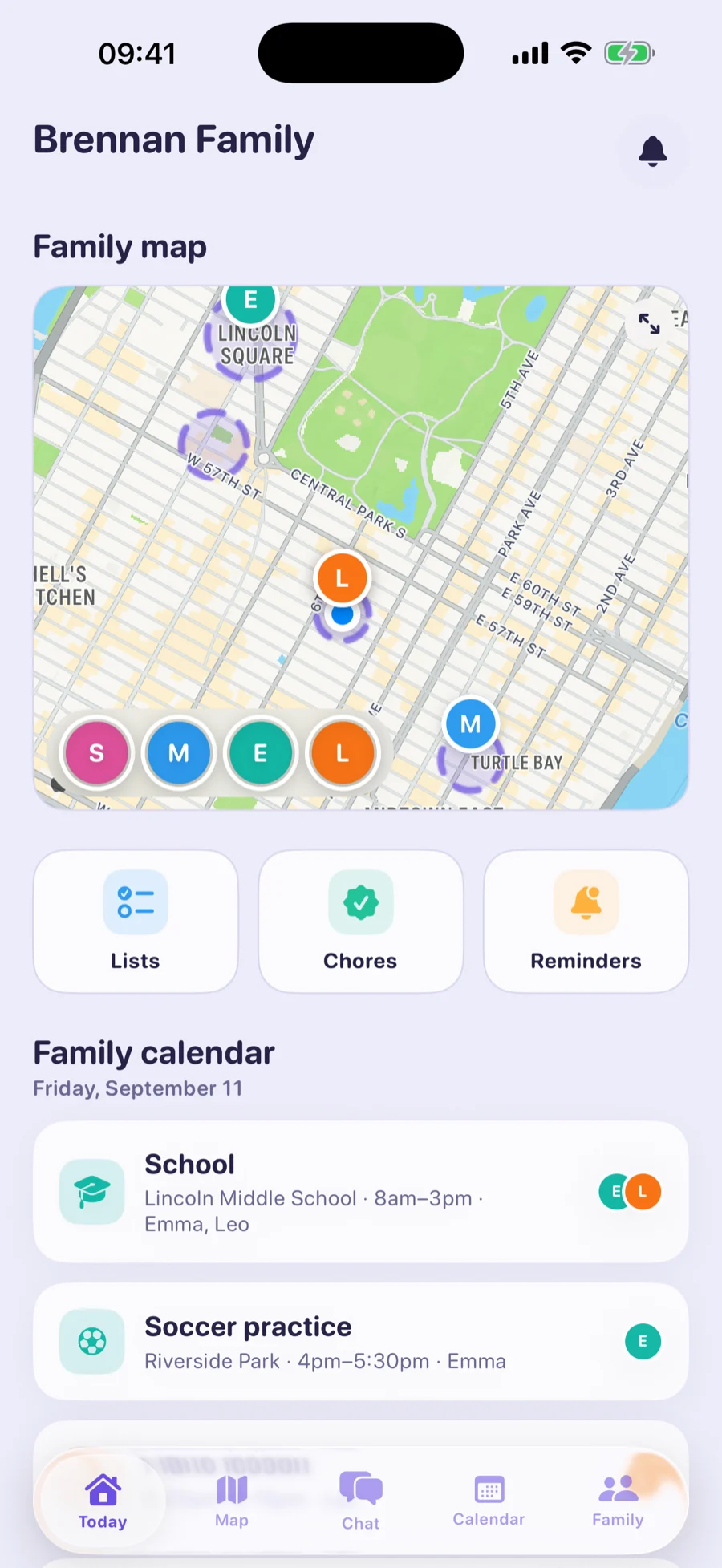
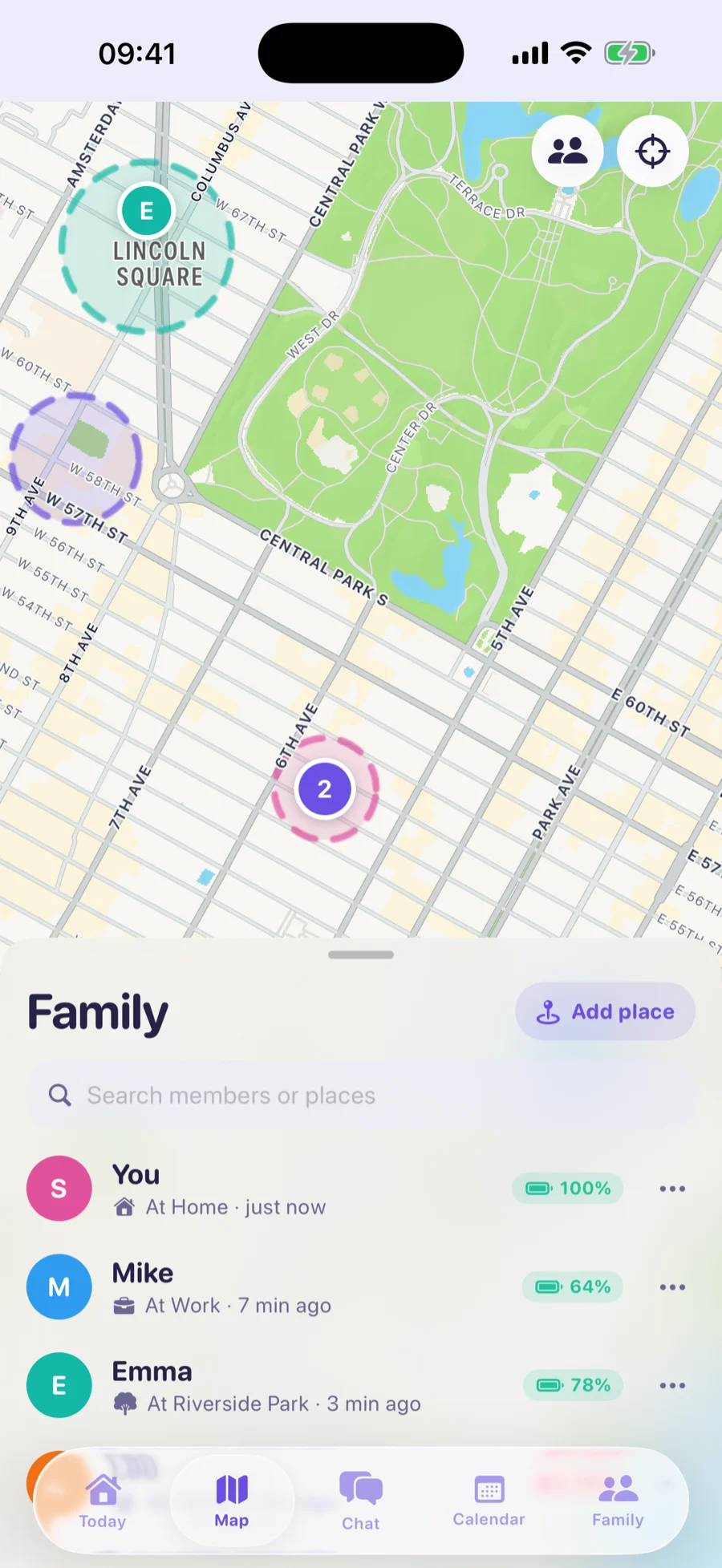
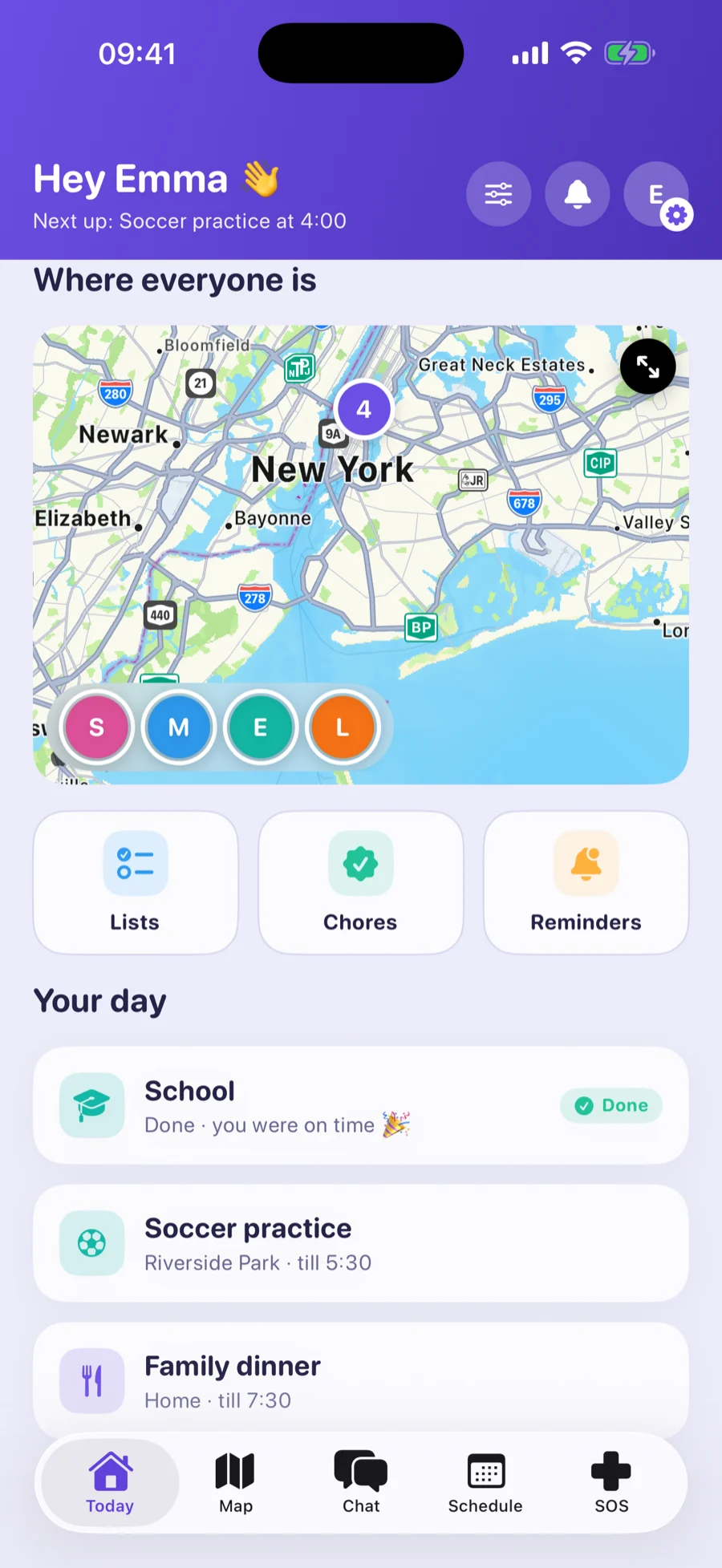
Everyone in one place, with where they are and how much battery is left. Not a dot to stare at — a question you can answer when you have one.
Learn more about the live family mapFamily locator for iPhone and Android
Orbit is a family locator for iPhone and Android. See where everyone is, share the week’s plans, and hear about it when someone isn’t where they said they’d be. The map, family chat and SOS are free, forever.
iPhone with iOS 16+ · Android 8.0+ · the map, chat and SOS are free, forever
Free forever
The things a family needs on the worst day are never behind a paywall. They work on the free plan for you and your first child, for as long as you use Orbit.
Everyone in one place, with where they are and how much battery is left. Not a dot to stare at — a question you can answer when you have one.
Learn more about the live family mapMessages and voice notes in a group that is only ever your family, plus one-tap “On my way” for the kids. End-to-end encrypted.
Learn more about family chatHold for three seconds and the rest of the family gets an alert with where you are, marked time-sensitive so it comes through Focus. Acknowledging it tells your child help is coming.
Learn more about sosOrbit Plus
One plan adds the rest of the household and the whole coordination layer. Prices are shown in the App Store and Google Play, in your own currency.
Home, school, practice, grandma's — with a calm ping when someone arrives or leaves.
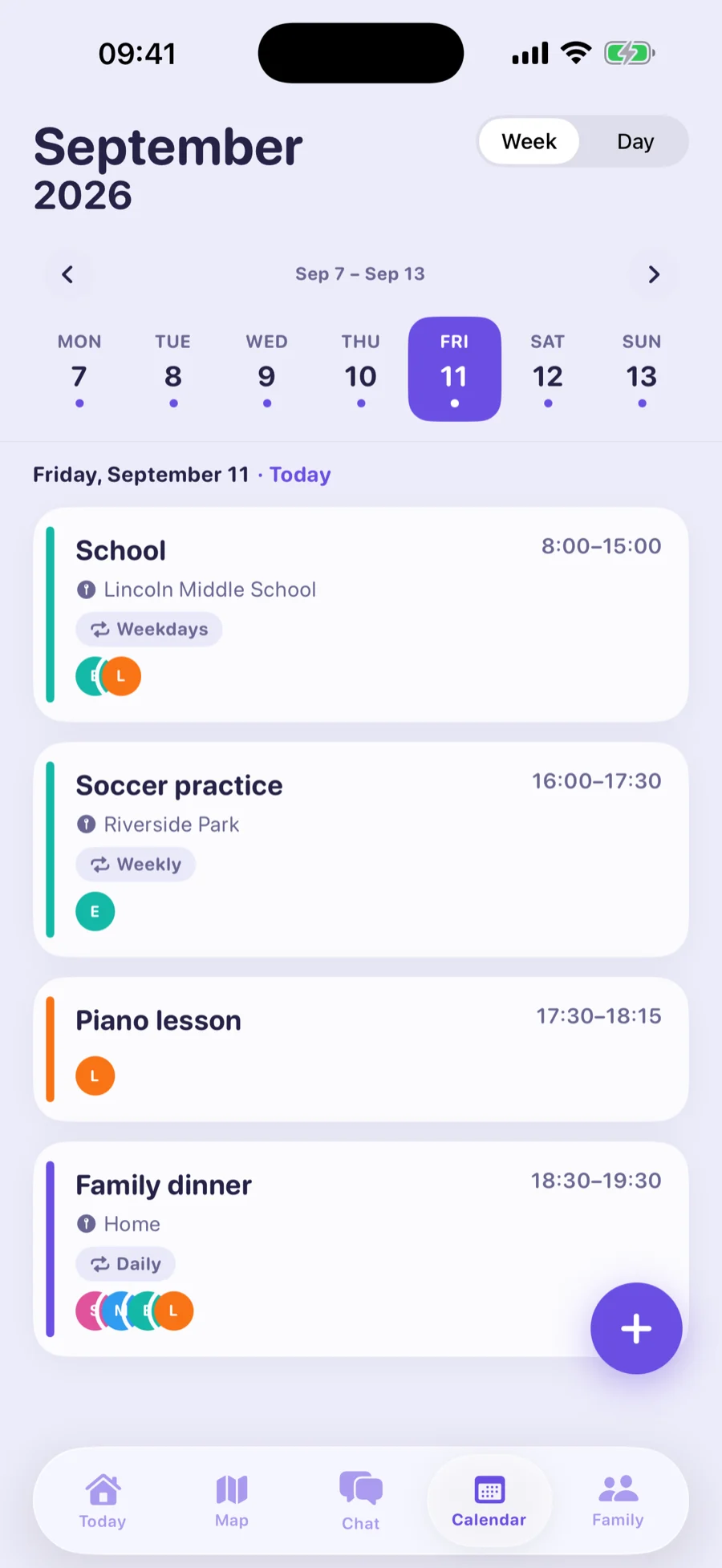
Learn more about saved placesOne family calendar for practices, pickups and plans. Connect your own iCloud or Google calendar and it flows in.
Learn more about a shared calendarAssign a chore, approve it with a tap, and let the points and pocket money add themselves up.
Learn more about chores and allowanceRight away, at a time, or the moment someone arrives somewhere. Addressed to one person or the whole family.
Learn more about remindersGroceries, packing, to-dos — ticked off on one phone, updated on all of them.
Learn more about shared listsWhere the day actually went, position by position, for any day in the last fortnight.
Learn more about location historyWhy it works
A tracker you have to hide is one they will find a way around. Every screen in Orbit is symmetrical, which is the whole reason it survives contact with a fifteen-year-old.
If the day matches the plan, Orbit stays out of it. The best notification is the one you never get.
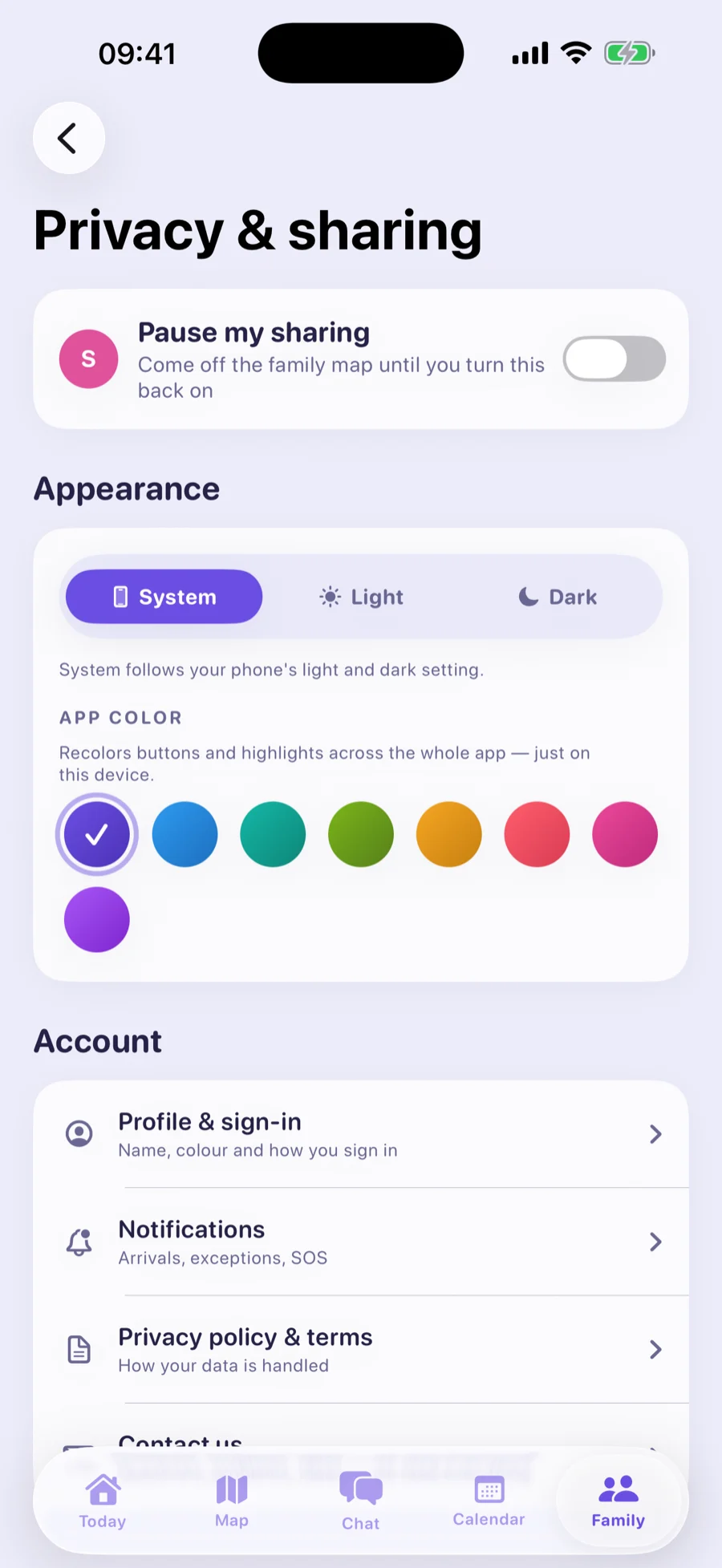
No secret parent mode. Children see the same information about their parents that parents see about them.
A dead battery and a disappearance look completely different. Orbit says which one you are looking at.
No advertising, no data brokers, no driving scores sold on. Delete the family and it is gone from the server.
Questions
It is built for coordination, not surveillance. Orbit compares the shared plan with where people actually are, stays quiet when they match, and shows every family member exactly what is shared about them.
More often than with a monitoring app, because it is not one. They get their own home screen, their own schedule, a one-tap “I'm here”, and the same view of you that you have of them.
Orbit says so plainly — last seen where, how long ago, and what the battery was — instead of showing a confident dot at a stale location. It should never be your only emergency tool.
Yes. Orbit runs on iPhone (iOS 16 or later) and Android (8.0 or later), and everyone in the family sees everyone else on the same map, whichever phone they carry.
It is free to download. The live family map, family chat and SOS are free forever for you and your first child. Orbit Plus adds the rest of the household, saved places with arrival alerts, the shared calendar, chores, reminders, lists and location history. Prices are shown in the App Store and Google Play.
Yes. Like Life360, Orbit puts your family on one live map across iPhone and Android. Orbit's map, chat and SOS stay free, it stays quiet while the day matches the plan, and it never shows ads or sells family data.
Install Orbit on your phone and your child's, create your family and send your child an invite. Once they join and allow location access, they appear on the family map, and they can see you there too.
Yes. Delete your account in Settings, or delete the whole family as the organizer, and it is removed from the server rather than flagged inactive. Location history is deleted automatically after 14 days regardless.
Contact us
Questions about your account, your family, location sharing, a subscription or a privacy request — write to us and we will help.
Orbit is not an emergency service. If someone may be in danger, contact local emergency services directly.